

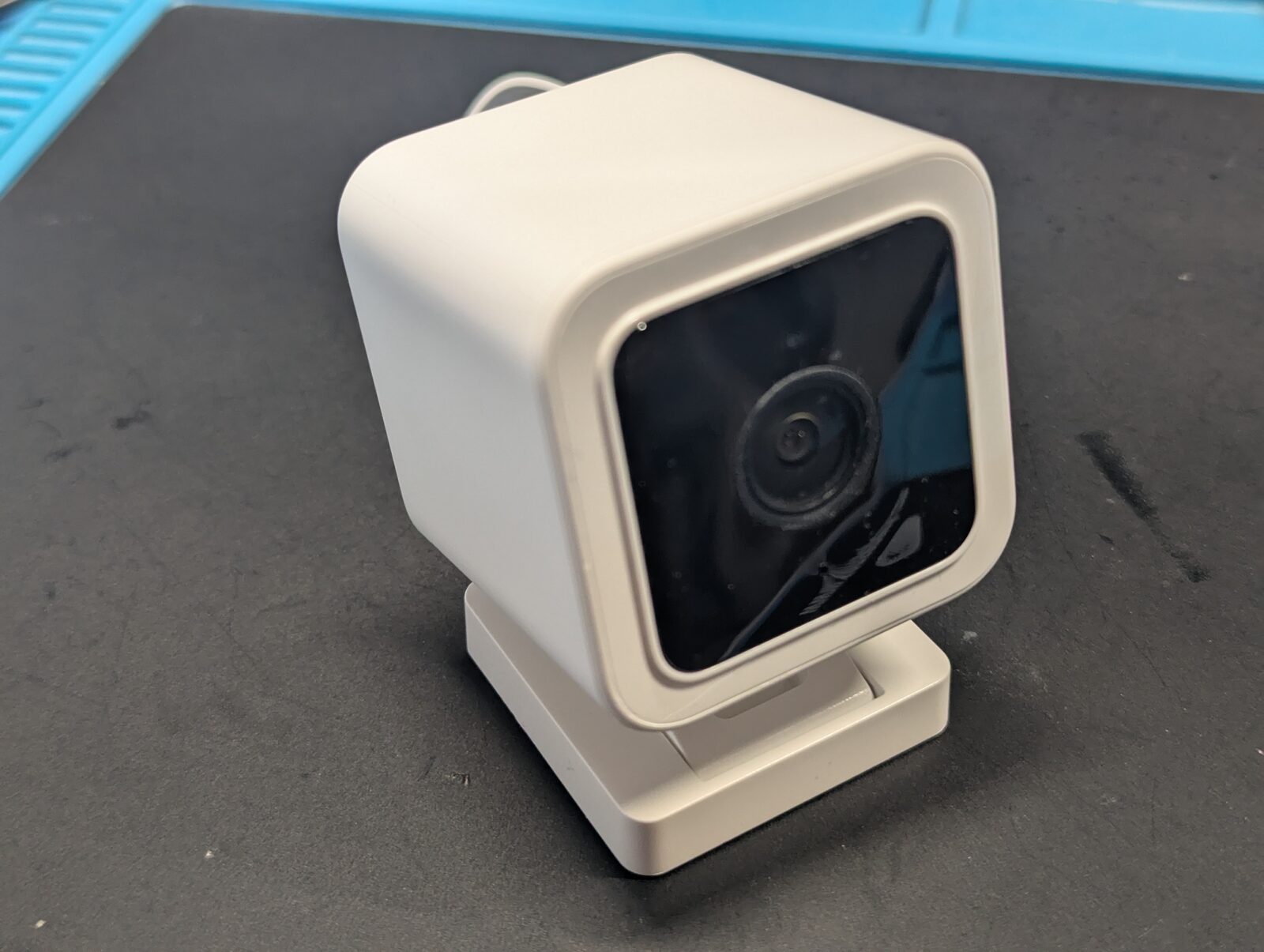
The Wyze Cam v3 is a mass-market camera built on an Ingenic T31, a MIPS SoC that is popular in budget cameras. It has been on the market for quite a few years, and the issue covered here was present in an early-2022 firmware. It needs physical access to the SD-card slot, and Wyze fixed the issue in later firmware. Nothing here is a live, remotely exploitable bug against a patched camera. But the shape of it is not uncommon, and can be very much alive on other products. That is the reason it is worth sharing.
Getting the firmware off the easy way
An assessment that only reads the vendor build output is reading a claim. The authoritative record of what a product does is the product, and on an embedded device that record lives in the flash chip. So one of the early tasks in an assessment is to try to acquire the flash contents.
Before probing the board, datasheets on the SoC and flash chips should be acquired. This is crucial documentation that takes much of the guessing out of the picture. They give the pinout, the reset behaviour, the boot modes, and the SPI commands the flash understands.
Like many video SoCs, the T31 keeps its non-volatile storage off-chip, in a separate SPI flash on the board. Bootloader, kernel and root filesystem all live on that one chip.
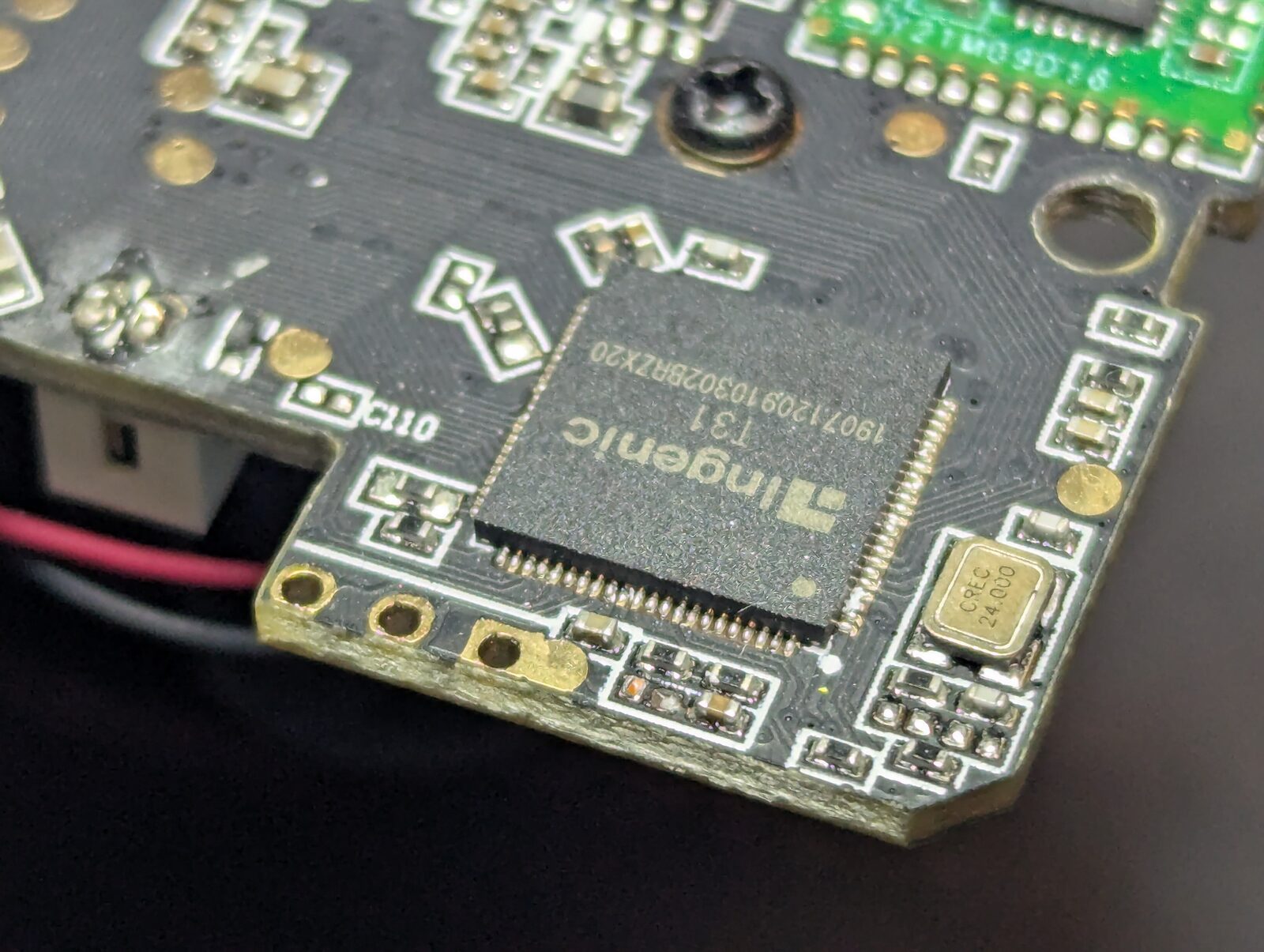
The flash is the eight-legged chip a few centimetres away, in a classic SOIC-8 package. The markings read 25Q128, a 128 Mbit (16 MiB) SPI NOR flash and a very common choice for this class of device. Eight pins, a simple bus, and easy access for a clip to grab onto, without any rework.
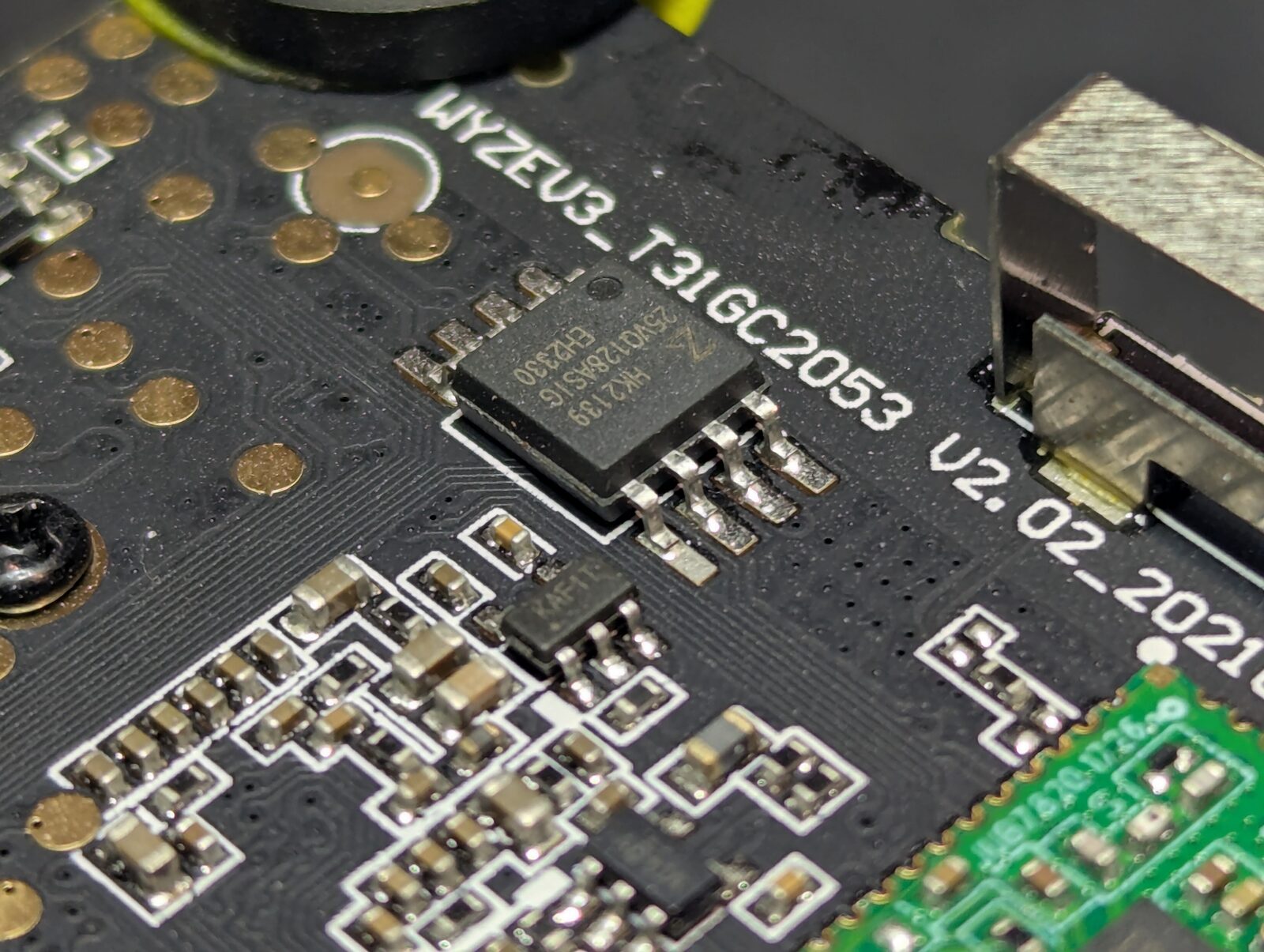
Lifting the chip off with hot air and reading it in a socket is the reliable approach. But next to a lens and a plastic housing, it is more risk than it needs to be. The less-intrusive (and even quicker) alternative is to read the flash in-circuit, without removing the chip. This is pretty straight-forward, but the issue you might run into, is that while powering the flash for reading, you also power the SoC, such that it will start executing and communicate with the flash, causing the flash readout process to fail. A useful trick to work around this is to identify the reset pin of the SoC, hold it low with a jumper to the ground to prevent it from booting, leaving the SPI bus all alone.
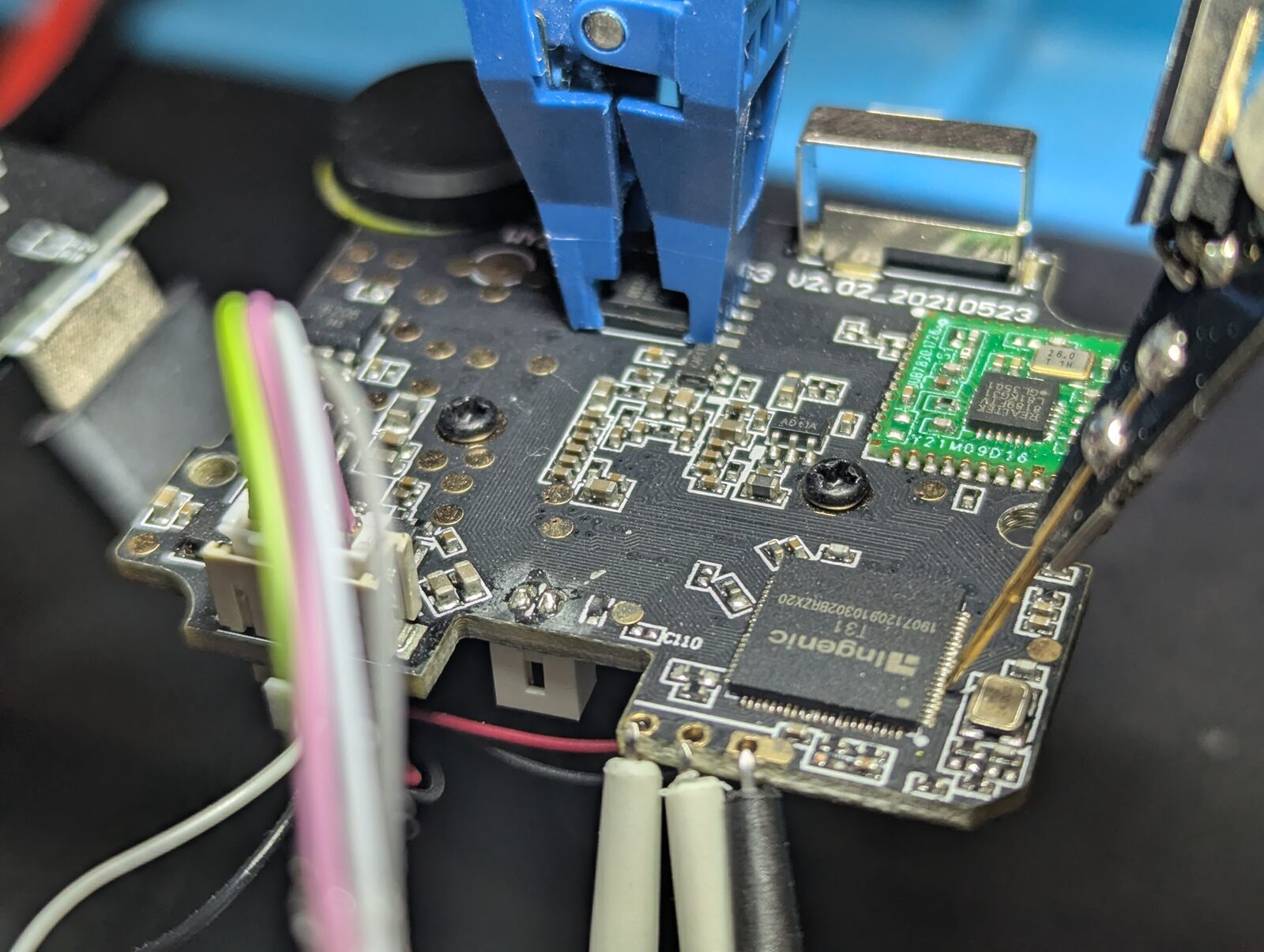
The clip goes on the eight pins of the flash. The programmer is a Tigard, an FT2232H board that speaks SPI and UART and lets you choose the target voltage, 3.3 V here. With the SoC held down, flashrom drives the bus directly.
# SoC reset line tied to GND, so the T31 never boots and never drives the bus.
# SOIC-8 clip on the 25Q128 flash, powered from the Tigard 3V3 rail.

flashrom -p ft2232_spi:type=tigard,divisor=8 -r flash.bin

# 16 MiB dumped clean.
In flash.bin on disk, we now have a copy of what the camera runs. U-Boot, the kernel, and the SquashFS filesystems. Not a build artefact, but the complete picture of what was shipped.
The factory test that shipped
When watching the UART serial console during boot, messages about Test.tar, tfcard and [user] mode stuck out.
[...]
#######################
#   IS USER PROCESS   #
#######################
[FC] cd pin not found tfcard
[FC] Test.tar no exist
[FC] In [user] mode!
[...]flash.bin turns up an ordinary embedded Linux runtime and grepping for those interesting strings led to a compiled binary factorycheck. This binary is executed as part of the system init process, and the likely intent of it is to detect if a device is at a manufacturing stage, where things like provisioning of device identity and smoke tests are performed.Its job is small. When an SD-card is inserted, look for a Test.tar on it, verify it, unpack it to /tmp/Test/, and if the verification passes, enable factory mode by touching /tmp/factory. Further down the init process, this flag is checked for, and if set, it will execute /tmp/Test/test.sh. So whoever satisfies that one check gets a shell script of their own run as root, off a card they brought with them.
But what's actually involved in the verification of Test.tar? Opening the MIPS binary in Ghidra, the verification step for the 2022 firmware version yield the following:
/* factorycheck: the factory-mode gate, reconstructed from the binary. *
 * All three inputs live inside Test.tar on the removable card.        */

md5hex("/tmp/Test/singleBoardTest",    a);   /* 32 hex chars */
md5hex("/tmp/Test/factoryTestProcess", b);   /* 32 hex chars */

for (i = 0; i < 32; i++)
    expected[i] = a[i] ^ b[i];               /* XOR the two digests    */

/* checksum is a file, also read from the card */
if (strncmp(expected, checksum, 32) == 0)
    system("touch /tmp/factory");            /* -> factory.sh test.sh  */
The verification takes the md5 digests of two files, XORs the two hex strings together, and checks the result against a third file called checksum. If they match, factory mode turns on.
All three files, singleBoardTest, factoryTestProcess and checksum, come out of the same Test.tar, off the same card, all of it supplied by whoever holds the card. There is no secret in the calculation. No key, no signature. It is a plain checksum of attacker-chosen inputs compared against an attacker-chosen value. Satisfying it is arithmetic.
# Everything the check reads comes from the card you control.
#
#   Test/test.sh              your code, runs as root once factory mode is on
#   Test/singleBoardTest      any file
#   Test/factoryTestProcess   any file
#   Test/checksum             md5hex(singleBoardTest) XOR md5hex(factoryTestProcess)
#
# So compute the two md5 digests, XOR the hex strings together, write the
# result into checksum, tar the four files, and drop the tar on the card.
# There is no key and no signature in the loop, so the gate opens.It is tempting to call the XOR step a secret. It is not. The only thing standing between an outsider and factory mode is knowing the recipe, XOR these two digests and write the result to that file. That is security by obscurity (at best), and obscurity is very weak. Kerckhoffs made the point more than a century ago. A secure mechanism stays secure even when the attacker knows exactly how it works, because its strength lives in a key they do not have.
With factory mode on, test.sh runs with full privileges and the camera is compromised. Read out credentials and keys, change the update settings, stay resident. It needs physical access to the SD-card slot, which is a real limit on who can reach it. But for a camera that might be within arm's reach of the people it watches, it is not a comforting one.
The hard part is turning it off
A factory test like this is normal, and it should be. A production line needs a fast, forgiving way to load and run a payload on an unknown-good board. The feature itself is not a mistake.
Ideally, the same feature is locked down once the unit leaves the line. Disabled, or guarded behind something an outsider cannot produce. Most modern SoCs ship with secure lifecycle states, where a device moves from provisioning into deployed, and test entry is gated per state. The capability is there. Using it is harder. Repaired units come back to a line, and the same hardware often becomes several variants late in distribution, so there is real pressure to leave it open. That said, none of that is a reason to leave it unauthenticated.
The factory test harness and the product firmware are usually built by different groups with different objectives, and the harness often does not live in the product's source tree at all. It belongs to test engineering, or to the contract manufacturer, which puts it outside whatever threat model the product itself was reviewed against. One side is measured on first-pass yield and on getting a clean pass in seconds. The other answers for what the device does once it is in someone's home.
Why this one shipped the way it did, I do not know. In general, though, the boundary between teams is where things tend to fall through. The first post made that case, borrowing Conway's old observation that a system ends up shaped like the communication structure of the organisation that built it. And that if-statement checking for factory vs user mode is that idea narrowed down. The finished product records the outcome without the reasoning.
So it is worth looking for on any connected device. Test modes, engineering menus, hidden serial shells, update paths meant only for the production line. The question is not whether they exist, because they usually do. It is whether anything still trusts an input because a factory once could, and the answer tends to live on the finished product rather than in the documentation.
The fix, a real signature checked in the right place
In a 2024 build of the firmware, Wyze fixed the issue. Before the tar is unpacked at all, the newer factorycheckbinary calls a signature check. It reads an RSA-2048 signature from the last 256 bytes of the Test.tar, computes SHA-256 over everything before that signature, and verifies the two against a public key. Only a valid signature reaches the unpack and the factory-mode flag. On any failure it prints an error and drops back to normal operation.
Two things make it hold, and both are the point.
- The check is asymmetric. Verifying a signature needs the public key. Producing one needs the private key, and that never leaves Wyze. Forgery is no longer arithmetic anyone with the SD-card can do.
- The key it trusts lives on the device, not the SD-card. The public key sits in the camera's own read-only filesystem. An attacker who controls the SD-card cannot swap in their own key to match their own signature. The trust anchor is out of reach.
The old md5-XOR check is, oddly, still in the 2024 binary. It now sits behind the signature check though, downstream of the RSA-2048 signature check. Dead weight rather than a door. It should also be mentioned that the camera's over-the-air firmware images carry a P-256 ECDSA signature that U-Boot checks before it writes anything to flash, and it fails closed. The manufacturer knows how to sign an update. The 2022 factory path was the one place a hash had been left standing in for a signature.
Where this lands in the CRA
The point of doing this on the bench rather than only on paper is simple. The essential requirements of the Cyber Resilience Act are claims about the product, and a product-level assessment tests them as claims about the product. The security properties a product with digital elements has to have are set out in Annex I, Part I. The 2022 behaviour touches several of them.
- No known exploitable vulnerabilities. Point (2) asks that products reach the market "without any known exploitable vulnerabilities". A factory back door that survives into shipped units is that kind of defect.
- Protection from unauthorised access. Point (3)(b) asks for "protection from unauthorised access by appropriate control mechanisms, including" among other things authentication. A hash of attacker-supplied files authenticates nobody.
- Integrity of programs and configuration. Point (3)(d) asks products to "protect the integrity of stored, transmitted or otherwise processed data … commands, programs and configuration against any manipulation or modification not authorised by the user". Running a shell script off a card because a checksum matched is that requirement failing.
- Limiting the attack surface. Point (3)(h) asks for designs that "limit attack surfaces, including external interfaces". A production test harness left live on consumer units, reachable from the card slot, is attack surface that should not have shipped. The exposed test and debug pads on the board sit in the same category.
There is a thread running under all four. The CRA keeps asking for mechanisms that are appropriate and state of the art, not for clever ones. It does not name an algorithm, and it is right not to, but the direction is not subtle. A homemade gate whose only defence is that nobody has read the binary is neither appropriate nor state of the art, and the read earlier in this post is a measure of how thin that defence is. Standard signatures existed, were well understood, and were sitting one layer down in the same product. This one path just did not use them.
The fix maps just as cleanly onto Annex I, Part II, the vulnerability-handling side. The weakness was identified, a signed-update mechanism shipped to close it, and firmware still goes out through a path that verifies before it writes. That is the duty to "address and remediate vulnerabilities without delay … including by providing security updates" doing its job. The whole arc is legible in two firmware images and a flash dump. The defect, the remediation, and the channel that carries the remediation.
What this looks like as a client engagement
Compressed into a few sections this reads quickly. In practice the value is in the order it happened. A physical read that left the sample untouched. A firmware image treated as the source of truth. A control found and read closely enough to say exactly why it failed, a hash where a signature was needed. Each finding tied back to the essential requirement it puts at risk. Then the same care turned on the fix, so the report says more than that something was broken. It says what correct looks like on your own hardware, and where you already do it right.
That is what a product security assessment from MKR Labs is built to produce. It is also the view an attacker has. The finished device, some basic tools, and time. The camera here is a teaching example. The method is the point.
References
- Regulation (EU) 2024/2847, the Cyber Resilience Act. The essential requirements are in Annex I. Part I covers the product properties cited above, and Part II covers vulnerability handling.
- Wyze, Release Notes & Firmware. The Cam v3 firmware history. The factory-path hardening lands in the later 4.36.x releases.
- flashrom, the open-source tool used to read the SPI flash over the Tigard.
- Tigard, the open-source FT2232H interface board used on the bench.
- Ingenic, the T31 SoC family this camera is built on.